
You’re at a coffee shop, the Wi-Fi is free, and your phone buzzes with a TON balance update. Tempted to tap around? Same. But before you connect and approve that transaction, you’re probably wondering: Is Tonkeeper Wallet Safe on public Wi-Fi? Let’s get real about public networks, phone security, and a few casual habits that quietly raise your risk. This guide keeps it simple, skips the paranoia, and shows you how to use Tonkeeper confidently without being “that person” who leaked their seed phrase in a latte line.
Quick answer: Is Tonkeeper Wallet Safe on public Wi-Fi? It can be, if you lock down your phone, avoid risky screenshots, double-check permissions, and use safer network setups (hotspot or VPN). The app adds security layers, but your habits matter most.
Tonkeeper TON wallet: what’s safe, what’s not
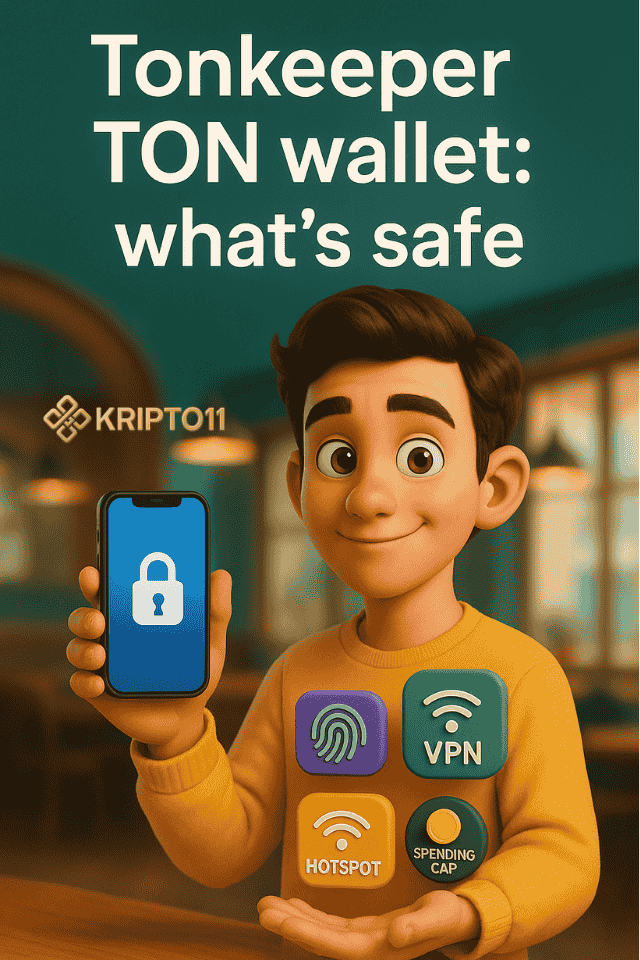
Let’s start with the basics. The Tonkeeper TON wallet stores your private keys on your device, not in the coffee shop router.
That’s already good news. Moreover, app connections to services use encrypted channels, so random folks on the café network can’t just read your traffic like an open book.
However, public Wi-Fi still introduces risk in indirect ways:
- Fake or “evil twin” hotspots: Attackers create a Wi-Fi with the café’s name to lure you in.
- Captive portals and sketchy pop-ups: You click through a login page that injects junk into your device’s traffic.
- Phishing via pop-ups/notifications: You see a “security alert” or a fake “airdrop claim” banner and tap without thinking.
Bottom line: The Tonkeeper TON wallet isn’t magically unsafe on public Wi-Fi, but the environment raises the odds of you tapping the wrong thing. Therefore, you need a few guardrails.
What “Is Tonkeeper Wallet Safe” really means here
- The crypto math is solid; your habits are the variable.
- If you keep your device locked down and stay picky with links, you’ve already cut most practical risk.
- If you’re about to approve something significant, step off the café Wi-Fi and use your cellular hotspot.
Coffee-shop Wi-Fi threats (without the paranoia)
You don’t need to memorize acronyms. Just watch for these real-world tricks:
1) The wrong network
If there are two “Cafe-Free” networks, one might be a clone. Consequently, always confirm the exact network name with staff or check the receipt/menu board.
2) Captive portal detours
Those “Agree to Terms” pages are normal, but sometimes they push ads, shady redirects, or weird permissions.
After you accept, open Tonkeeper fresh, not via a random notification tap.
3) Phishing that rides your boredom
You’re waiting for a cappuccino and mindlessly browse. A tweet, Telegram bot, or pop-up says “claim TON now.” Don’t. Instead, verify from official sources first. If it’s legit, handle it later on your own network.
4) Shoulder surfing (old school, still works)
People can glance at your screen. Because of this, turn on screen privacy (reduce previews, dim brightness) when checking balances or addresses.
PINs, biometrics, and lock-screen sanity
Good news: phone-level defenses are boring and extremely effective.
Set a strong device PIN (then actually use it)
- Use at least 6 digits or, better yet, an alphanumeric passcode.
- Disable “unlock with wearables” if your watch sits loose on the table.
Biometrics are convenience and safety
Face/Touch ID helps in crowds because you unlock quickly without typing in view of others.
However, keep an app-specific PIN or biometric for Ton Coin if available; defense-in-depth is your friend.
Lock-screen previews: trim the overshare
- Hide notification previews (sender only, no message).
- Turn off wallet toast messages on the lock screen.
- Turn on auto-lock after 30–60 seconds. Moreover, lock manually before leaving your seat.
Why this matters for “Is Tonkeeper Wallet Safe” ? Even if someone can’t break crypto, they can nab info from your screen, steal an unlocked phone, or trick you into approving a bad transaction. Strong locks stop most of that.
Screenshots you shouldn’t take (and why)
Yes, screenshots are convenient. But in public, they become a liability fast.
Never screenshot these
- Seed phrase / recovery words: Absolute no. A screenshot lives in your gallery, your cloud, and maybe your “shared with laptop” queue.
- Full private transaction details + addresses + amounts in one frame: You’ve basically created a cheat-sheet for scammers.
- QR codes containing sensitive data: People can zoom from behind you. Cameras are everywhere.
Do this instead
- Write the seed phrase on paper and store it offline.
- If you must save an address, copy it to a notes app with device encryption, then delete it once used.
- For transaction proof, export or share from within the app using redacted details. Besides, you can always share a block explorer link rather than raw keys or seed hints.
Bonus tip: your gallery is a honey pot
Even if your gallery is “private,” many apps ask for media permissions. Later, you forget and grant access. Therefore, keep secrets out of your camera roll completely.
Safer network setups (three easy tiers)
When you’re about to approve, swap, or send, level up your network.
Tier 1 – Best: use your own hotspot
- Toggle off café Wi-Fi.
- Use mobile data / personal hotspot while approving.
- Toggle Wi-Fi back on only for browsing after you’re done.
Tier 2 – Good: use a reputable VPN
- If hotspot isn’t an option, a paid VPN reduces exposure on shared networks
- Connect VPN first, then open Tonkeeper.
- Nevertheless, don’t let a VPN lull you into tapping random links.
Tier 3 – Minimum viable café mode
- Stay on café Wi-Fi, but do nothing high-value.
- Check balances, read notifications, and queue tasks for later at home.
- If something urgent pops up, switch to cellular for that one action.
Rule of thumb for “Is Tonkeeper Wallet Safe” moments: If the action moves money or grants permissions, step up at least one tier.
Practical in-app hygiene: approvals, pop-ups, and connect prompts
Even on a clean network, hasty taps cause most damage.
Read connection prompts (seriously, two seconds)
- Which site/app is asking?
- What permissions are requested (view balance, request signature, spend limit)?
- Is this the official domain? If not, bail.
Use spending caps and session hygiene
- Prefer low spending limits and short sessions.
- Disconnect dApps you no longer use; likewise, review permissions weekly.
- For risky airdrops or unknown bots, use a burner wallet with pocket change.
Verify before you tap “Approve”
- Compare amounts and addresses character-for-character.
- If something looks off, cancel first and re-open from a trusted bookmark.
- Besides, big approvals deserve a safer network (hotspot/VPN).
Why this boosts “Is Tonkeeper Wallet Safe”?
Tonkeeper gives you the guardrails, but you choose the lane. Intentional approvals and small limits turn big mistakes into small annoyances.
FAQ: Is Tonkeeper Wallet Safe (5 quick answers)
1) Is Tonkeeper Wallet Safe if I only check my balance at a café?
Generally, yes. Checking balances is low-risk. However, avoid tapping unknown links, and don’t reveal info on your lock screen.
2) Is Tonkeeper Wallet Safe for sending funds over café Wi-Fi?
It’s safer to switch to your cellular hotspot or use a reputable VPN. Moreover, double-check addresses and amounts before approving.
3) Can someone steal my seed phrase over public Wi-Fi?
Not directly from the air; the bigger risk is you screenshotting it or pasting it into a sketchy app. Therefore, keep seed phrases offline, always.
4) Should I enable biometrics for Tonkeeper?
Yes. Biometrics plus a strong device PIN reduces shoulder-surfing risk and helps if your phone is snatched. Additionally, shorten your auto-lock timer.
5) What’s the safest routine for cafés?
Browse lightly on Wi-Fi, hotspot for approvals, avoid screenshots of secrets, and keep permissions tight. Besides, use a burner wallet for unknown dApps or airdrops.
Final take
Is Tonkeeper Wallet Safe on public Wi-Fi? With smart habits, yes. The app’s security model does the heavy lifting, but your day-to-day choices, network tier, lock-screen settings, approvals, and screenshot discipline, decide how safe you actually are. Therefore, treat cafés like a “view-only” zone, flip to hotspot for money moves, and keep your secrets out of your camera roll. Easy wins, fewer headaches.

One reply on “Is Tonkeeper Wallet Safe on Public Wi-Fi?”
[…] TonKeeper, enable quick confirmations for small amounts (is TonKeeper safe) to lower […]